





Automated deployment
Recurring policies reduce repetitive work while keeping exceptions visible.

Secure endpoint operations in Dubai & the UAE
Find missing updates, automate deployment, reduce vulnerability exposure, and keep Windows endpoints healthy from one operational view.
Raidefend delivers patch management software in Dubai and patch management software in UAE that is not simply the fastest updater. It gives teams the policy control of automated patch management and the evidence expected from dependable Windows patch management software.
The foundation
Patch management software gives IT teams a structured way to identify, evaluate, deploy, and verify operating-system and application updates across managed endpoints. It replaces scattered manual checks with centralized policies, schedules, status data, and reporting.
Vendors publish patches to correct defects, improve stability, and address known security weaknesses. Applying relevant security patches reduces the window in which a known weakness can be exploited. It does not remove every risk, but it is a fundamental part of vulnerability management and endpoint hygiene. Organizations comparing patch management software in Dubai and patch management software in UAE markets should also confirm local support, maintenance, and reporting requirements.
Manual patching becomes difficult as device count, location, and software diversity grow. Automated patch management improves consistency by turning approved rules into recurring work. For Microsoft estates, Windows patch management software adds centralized oversight to Windows updates, KB releases, classifications, reboots, and failure review.
Why it matters
Modern patch operations connect vulnerability response with service continuity. The aim is controlled change: faster where risk is high, cautious where business impact must be tested.
Missing security updatesKnown vulnerabilities remain open longer than policy allows.
Outdated applicationsThird-party software quietly falls outside routine Windows maintenance.
Inconsistent endpointsDifferent versions complicate support, testing, and incident response.
Unplanned downtimePoor scheduling and unmanaged reboots interrupt critical work.
Weak evidenceManual records make failures and compliance exceptions hard to prove.
A modern platform inventories endpoints, surfaces missing patches, applies approval and exclusion rules, schedules maintenance, records installation feedback, and identifies systems needing follow-up.
Evaluation guide
The best patch management software is the platform that matches your operating systems, supported applications, change controls, reporting obligations, and team capacity. For organizations evaluating patch management software in Dubai or elsewhere in the UAE, local support and response times matter as much as feature lists. Evaluate outcomes and operational fit rather than relying on rankings alone.
Recurring policies reduce repetitive work while keeping exceptions visible.
Review classifications, KB updates, install status, and reboot requirements.
Confirm exact capabilities and limitations for Windows, macOS, and Linux.
Assess application coverage, package sources, prerequisites, and failure modes.
Align deployment rings and maintenance windows with business operations.
Control which updates proceed and document time-bound exceptions.
Use severity and vulnerability context to guide remediation order.
Surface missing, pending, failed, and installed updates centrally.
Turn current status and installation feedback into audit-ready evidence.
Coordinate restarts so patch completion does not surprise users.
Combine patching with maintenance tasks under reusable profiles.
Give operators one view of endpoints, policies, status, and exceptions.
Consistent by design
Automated patch management turns a repeatable policy into a controlled lifecycle. Teams can discover missing updates, group endpoints, prioritize important patches, deploy during approved windows, manage reboot behavior, and review installation feedback without touching every machine.
Effective automated patch management separates critical remediation, routine cycles, pilots, broad deployment, and exclusions.
Installation status matters. Failed patches, offline agents, prerequisites, and pending reboots need a follow-up path.
Recurring schedules and endpoint groups reduce manual intervention while preserving human review for higher-risk changes.
Microsoft estates
Windows patch management software helps IT teams control update work across laptops, desktops, and servers from a centralized system. Operators can review missing patches and classifications, decide what is approved or excluded, schedule deployments, and verify installation status.
Windows updates may include security, critical, cumulative, feature, and driver-related releases with different operational implications. KB references, restart requirements, endpoint roles, and maintenance windows help teams plan deployment rings rather than applying every change identically.
In Atera’s documented implementation, Windows patching uses the local Windows Update Agent to search for patches. Vulnerability context, including CVE/CVSS information where available, can help teams prioritize; risk decisions should still account for exploit activity, asset criticality, compensating controls, and testing. Teams evaluating patch management software in Dubai or patch management software in UAE can use these controls to plan consistent Windows maintenance.
Review Atera patch capabilities →Platform profile
Atera is an IT management platform for IT departments and MSPs. Its official documentation describes patch management within a broader RMM and IT automation environment. The points below are product facts checked against current Atera sources; they are not claims that RAIDEFEND developed or owns Atera.
Atera documents APT-based Linux patch management for supported Debian and Ubuntu releases. Its current support article also states that automated patch installation for Linux devices is not currently supported. Confirm current platform and distribution requirements during evaluation.
WinGet, Chocolatey, and Homebrew rely on package availability, version detection, silent-install support, permissions, and repository state. Some applications or devices will require investigation rather than automatic resolution.
Use pilot groups, maintenance windows, documented exclusions, rollback planning, and review of failures. These are general patch-management practices, not product guarantees.
Service context
Raidefend can help organizations evaluate, implement, and manage modern IT and security technologies.
RAIDEFEND positions its work around IT infrastructure, managed IT services, cybersecurity, endpoint security, monitoring, technology consulting, and ongoing support. Patch management connects these disciplines: endpoint updates depend on sound inventory, policy, network access, change control, and follow-up.
RAIDEFEND is presented here as the service and technology provider—not the manufacturer of Atera. A practical engagement can begin with the current environment, risk priorities, maintenance constraints, and evidence requirements before selecting or configuring a patch management solution. This approach is relevant to organizations considering patch management software in Dubai and patch management software in UAE environments.
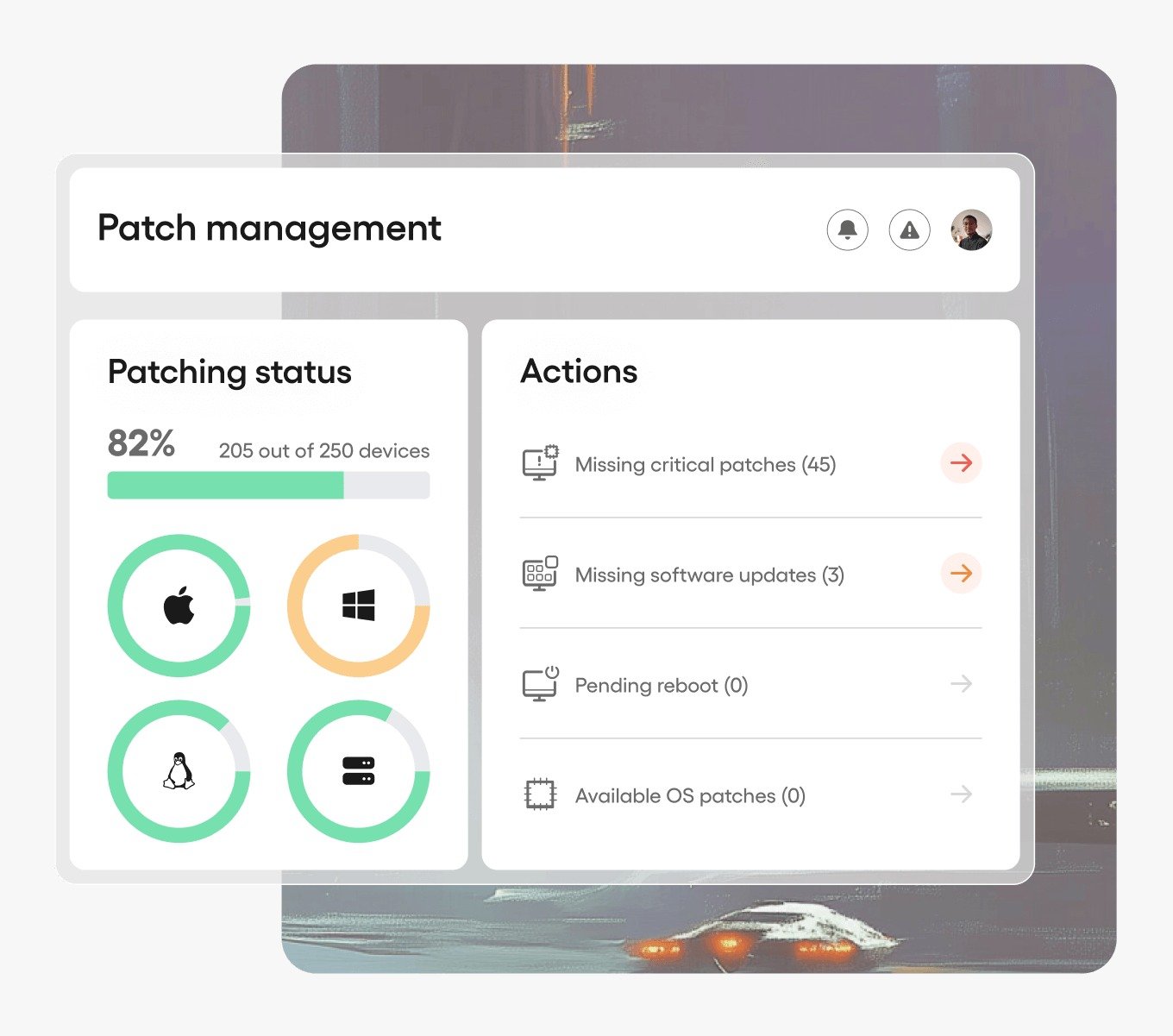
Map endpoint dependencies, operating systems, network access, and maintenance constraints.
Define routine monitoring, deployment, exception handling, and escalation ownership.
Connect patch priorities with vulnerability exposure and broader security controls.
Evaluate product coverage, operating fit, governance needs, and implementation approach.
Operating model
A mature process makes responsibilities and evidence clear at every stage.
Identify endpoints, operating systems, applications, and missing updates.
Review severity, vulnerability exposure, dependencies, and operational impact.
Place critical and security-related updates into risk-based remediation queues.
Create pilot rings, maintenance windows, deployment schedules, and exclusions.
Install approved patches automatically or manually according to policy.
Check installation status, failures, offline systems, and required restarts.
Show compliance posture, exceptions, vulnerabilities, and endpoint status.
Built around the environment
Simple policies, predictable schedules, and professional oversight reduce dependence on manual updates.
Department groups, testing rings, and reporting become important as applications and locations diversify.
Governance, integrations, staged deployment, exceptions, and evidence must work across complex ownership models.
Tenant separation, repeatable profiles, scalable reporting, and efficient exception handling support service delivery.
Offline-device policies, bandwidth, user prompts, and laptop reboot behavior need explicit planning.
Local operating hours, connectivity, critical systems, and site-specific change windows shape deployment.
Security & compliance
Timely remediation can reduce attack surface, improve endpoint resilience, and strengthen security hygiene. Patch status and exception reports can also support audit readiness and compliance workflows.
No patch platform makes an organization automatically secure or compliant. Coverage gaps, configuration weaknesses, identity controls, unsupported systems, testing, compensating controls, and operational follow-up remain part of the wider security program.
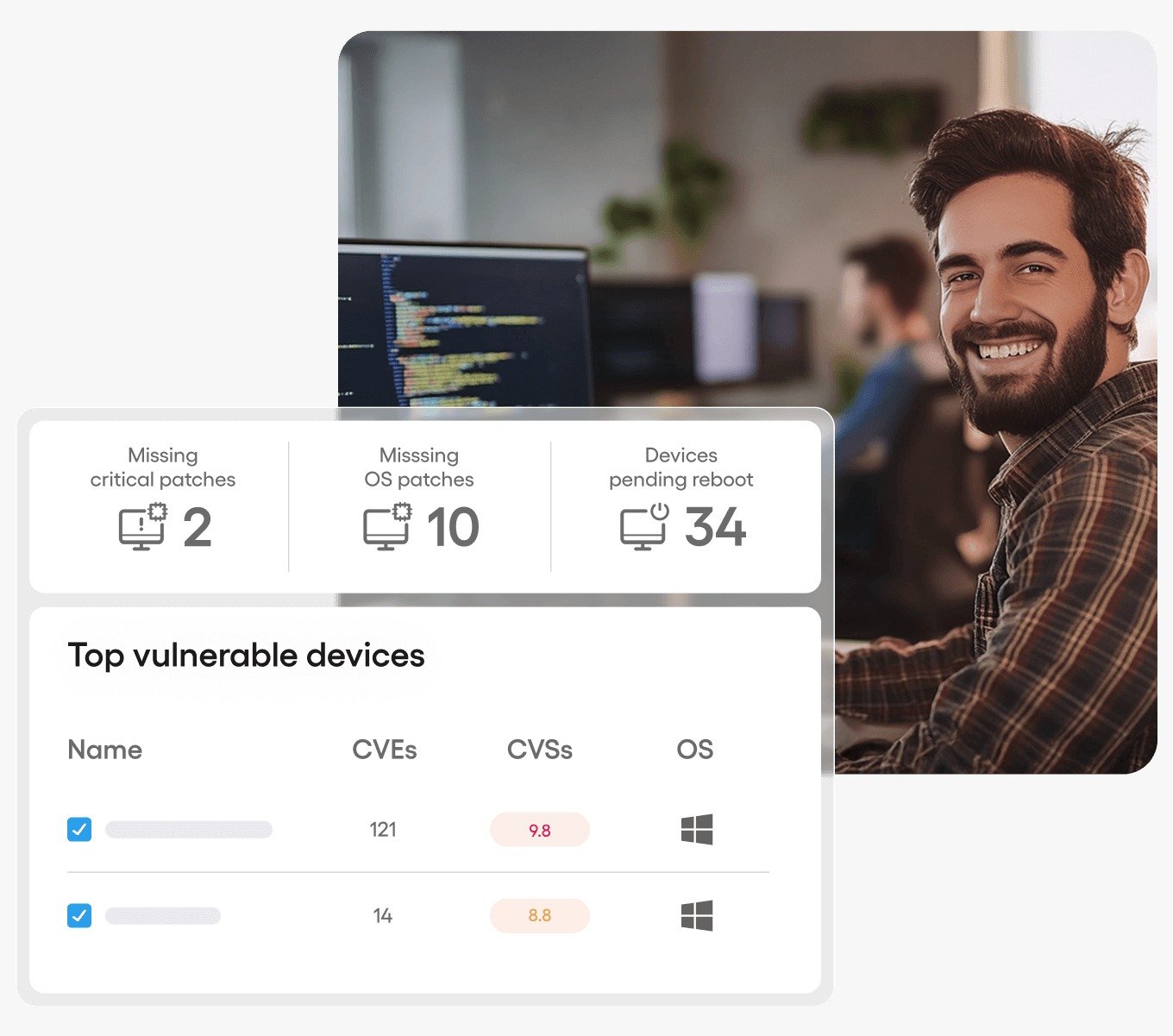
At a glance
| Capability | Manual patching | Automated patch management |
|---|---|---|
| Centralized visibility | Limited | Strong |
| Scheduling | Manual | Automated |
| Large endpoint environments | Difficult | Scalable |
| Patch reporting | Manual | Automated |
| Recurring updates | Manual | Automated |
| Vulnerability prioritization | Limited | Improved |
| IT workload | High | Reduced |
| Patch consistency | Variable | More consistent |
Operational outcomes
Shorten the time known vulnerabilities remain unaddressed.
Move recurring discovery and deployment work into reusable policies.
See missing, installed, pending, and failed updates centrally.
Use consistent rings, schedules, approvals, and exclusions.
Produce status and exception evidence for internal and external reviews.
Coordinate maintenance windows, testing, and reboot behavior.
Professional support
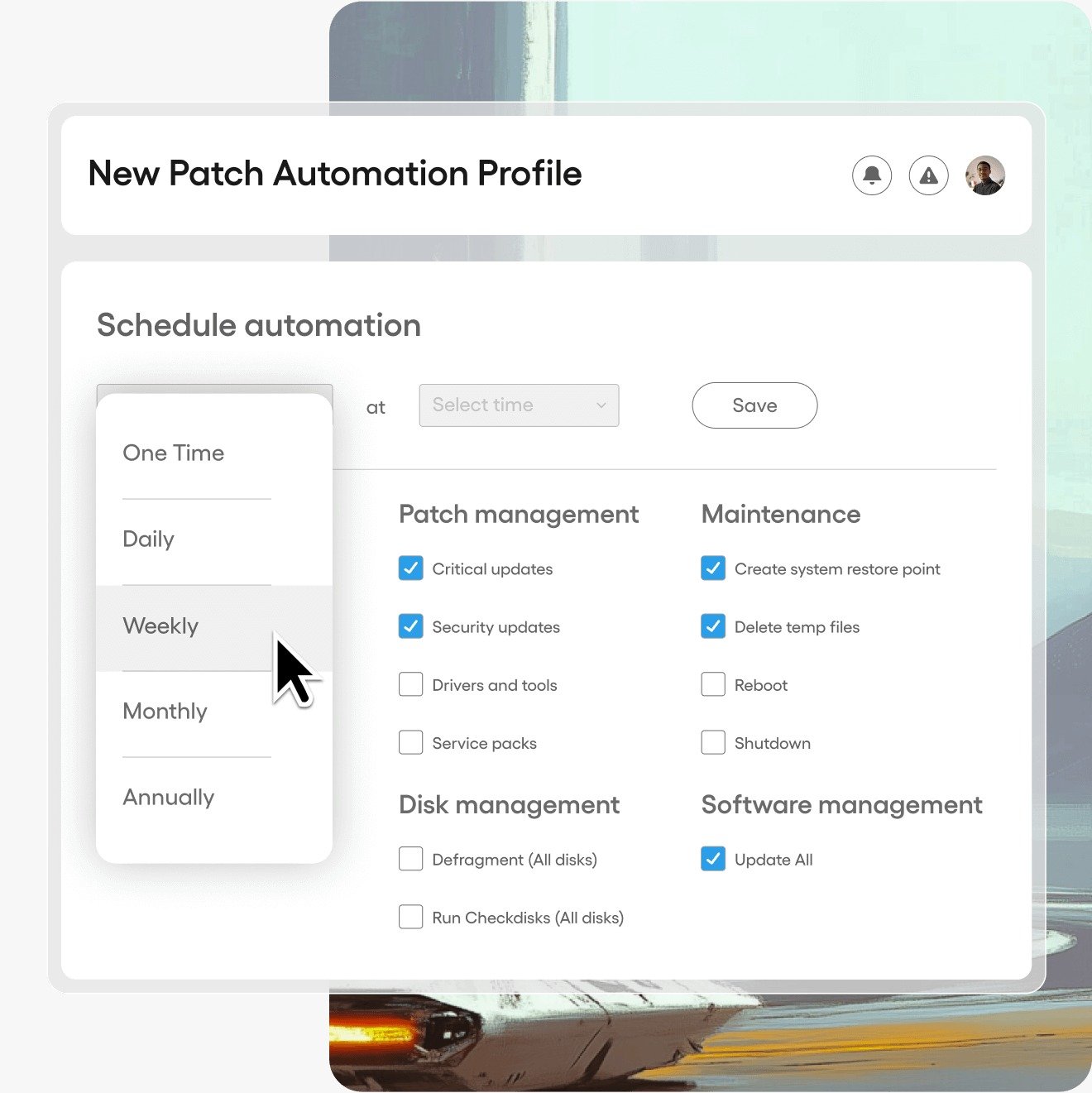
A tool can automate tasks; a sustainable service model defines scope, ownership, urgency, exceptions, communication, and remediation follow-up. Professional support helps translate policy into an operating routine that fits the real environment.
Start the conversation
Discuss patch management software in Dubai and the UAE, automated patching, Windows endpoint security, IT infrastructure, and cybersecurity with the RAIDEFEND team.