



Ticket management
Capture, organise, assign, and track requests from first contact through resolution.
Give every request a clear route from first message to documented resolution. Raidefend helps businesses in Dubai and across the UAE explore an Atera-powered service desk that connects ticketing, technician workflows, remote support, and service visibility.
For internal IT teams, growing businesses, and managed support environments.

One service desk. A more connected IT operation for the people who rely on it.
Replace scattered requests with a shared service workflow. The right help desk software helps teams prioritise work, see useful context, and turn every resolution into a better starting point for the next request.
Capture, organise, assign, and track requests from first contact through resolution.
Give urgent issues clear attention and guide requests toward the right queue and technician.
Give technicians a structured route to diagnose, support remotely where appropriate, and escalate with context.
Make approved guidance easier to find, so users can solve routine needs before raising a request.
Connect service activity to relevant device and environment information for more informed next steps.
Review workload patterns, response performance, and recurring issues to guide service improvement.
When requests arrive by email, chat, phone, and corridor conversations, work can easily lose its owner. A shared Ticketing System gives every issue a visible status, a responsible technician, and a record of the next action. Users know where their request stands; IT teams have a calmer, more reliable way to manage the queue.
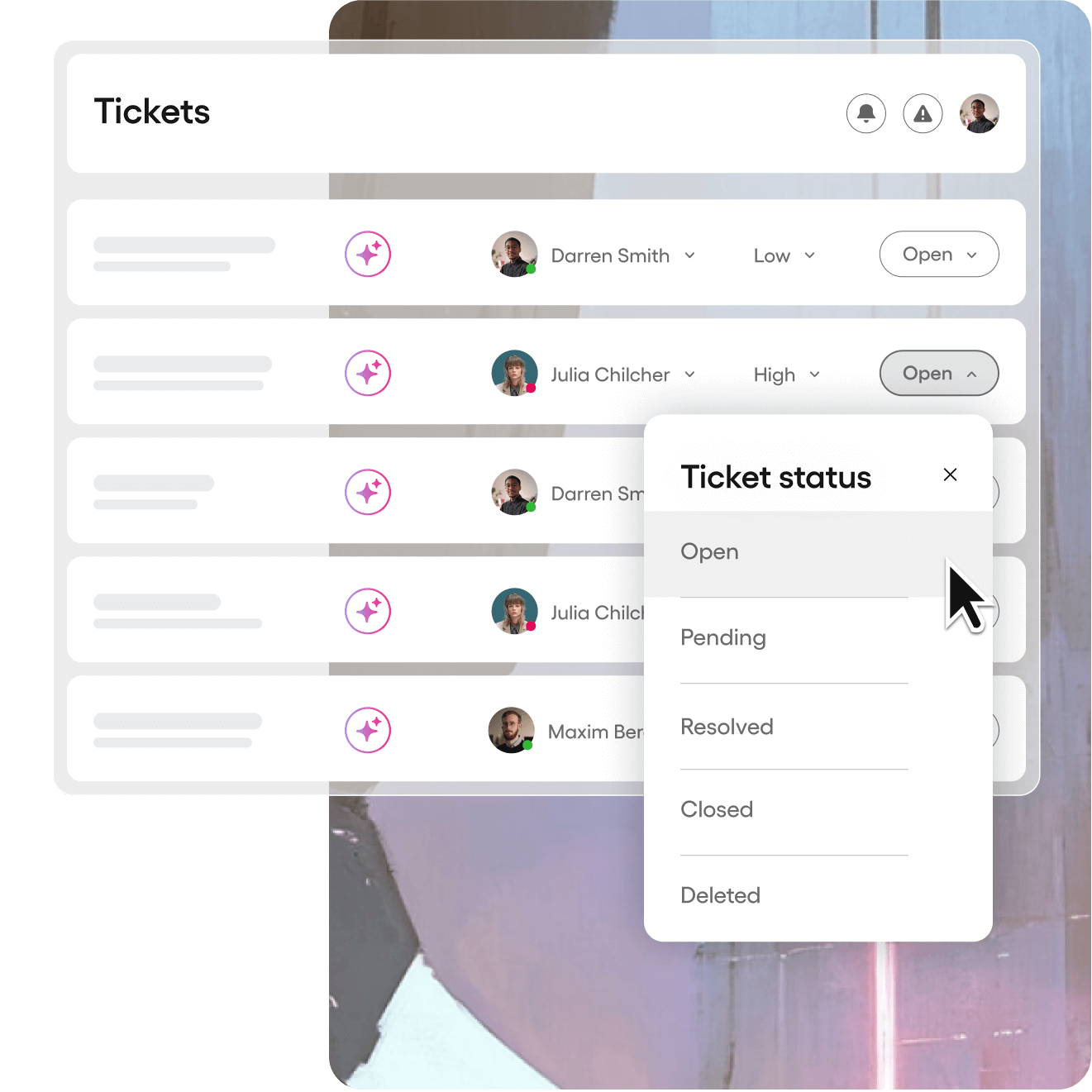
Atera’s ticketing capabilities can bring requests, updates, ownership, and resolution history into one working view. Configure the service experience around your business rather than forcing every issue through the same generic inbox.
Use forms, custom fields, priority rules, and automation to give a request the details and route it needs from the start.
Templates, planned follow-ups, and clear status updates can help technicians keep users informed without recreating routine messages.
Bring requests from email, the service portal, Microsoft Teams, and Slack into a more connected support workflow where those channels are configured.
A portal and curated knowledge base can make it easier for users to raise requests, follow progress, and resolve suitable routine issues themselves.
Good service begins with a useful request. Configure forms and categories around the work your team actually handles—such as access, software, devices, onboarding, and incidents—so essential details are collected at the outset. The result is an IT Ticketing system that supports clearer triage, more confident assignment, and fewer avoidable follow-ups.
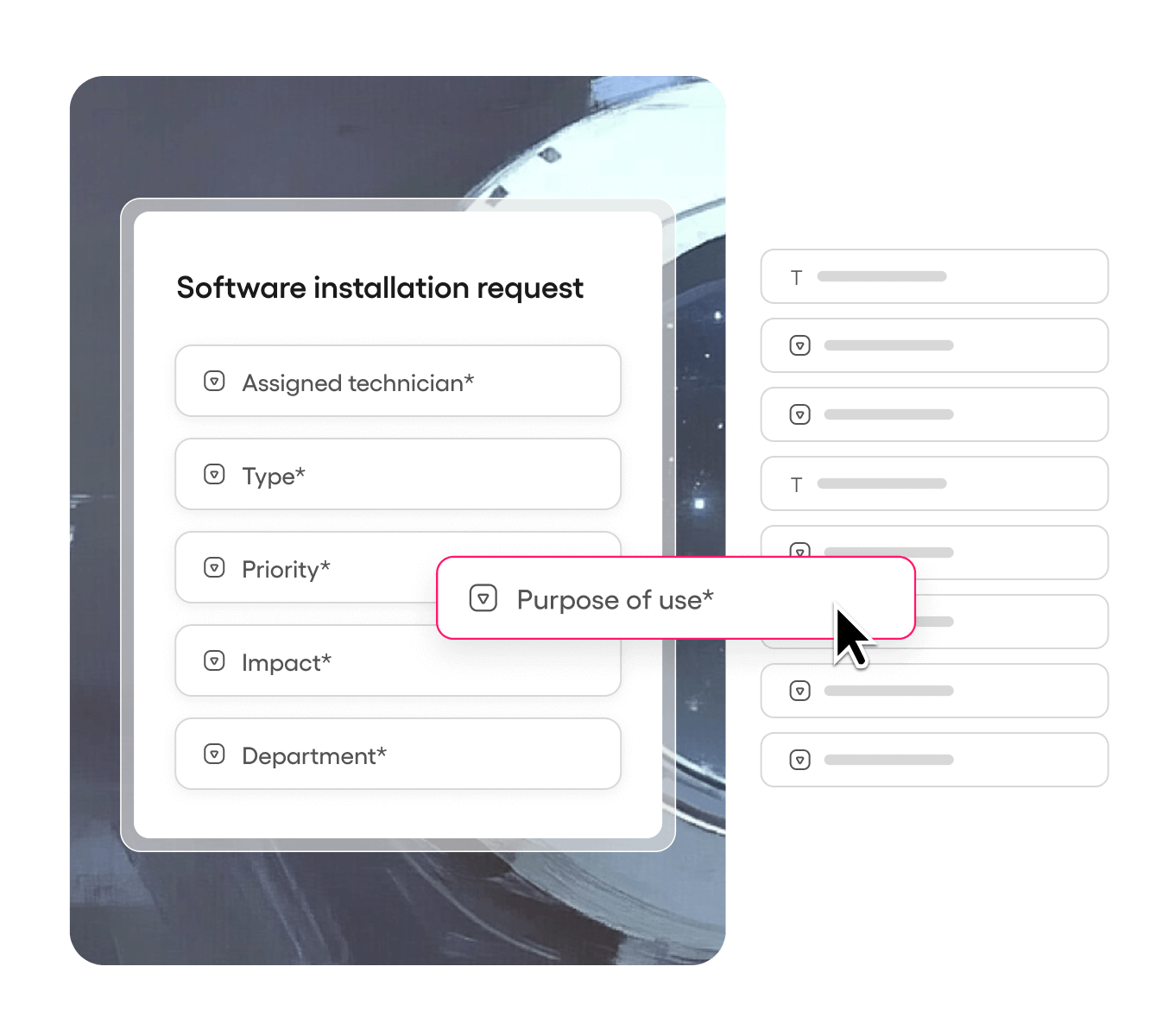

Whether people work from one office or across several locations, a modern service desk gives everyone a clear way to ask for help and follow progress. It also gives IT leaders a stronger foundation for support, monitoring, patching, and ongoing improvement.
Modern Help desk software can bring repeatable steps into a more consistent workflow. With the right design, routine requests can be guided by standard processes while technicians retain the context to investigate complex, sensitive, or business-critical issues. Raidefend can help you explore an Atera-based service desk that balances automation, technician judgement, and clear accountability.
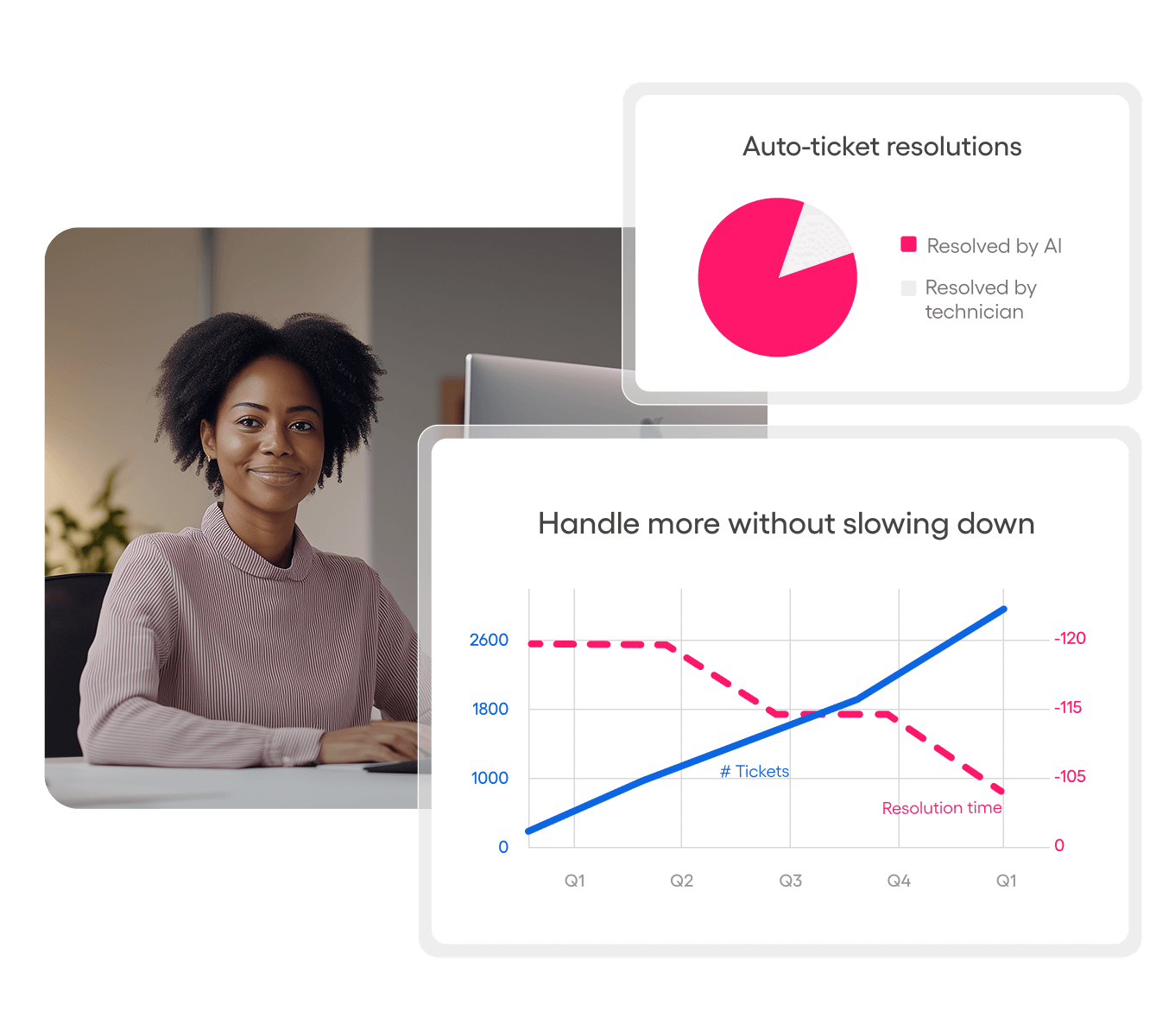
AI can make a well-designed help desk more useful without removing the need for accountable people and clear processes. In Atera, AI Copilot supports technicians inside the platform, while Robin is designed for scoped autonomous end-user support.
For the technician
AI Copilot can condense a long ticket history, surface relevant context, draft a response, and suggest diagnostic or next-step actions. It can also help turn a clear instruction into a script or command for technician review.
For the end user
Atera’s former IT Autopilot is now called Robin. It can be configured to handle approved end-user requests, gather context, take permitted actions, and hand work to a technician when a person needs to take over.
Start with the workflow. Useful ticket fields, priorities, routing, templates, portal content, and escalation paths give people and AI the context to act responsibly. Raidefend can help you identify where AI assistance is appropriate, where automation is practical, and where technician review should remain in control.
Help desk software should make service work visible without turning reporting into another task. Review patterns in incoming requests, workload, response, resolution, and recurring issues, then use that context to decide what to improve next. It gives IT leaders a more practical basis for service conversations with the wider business.
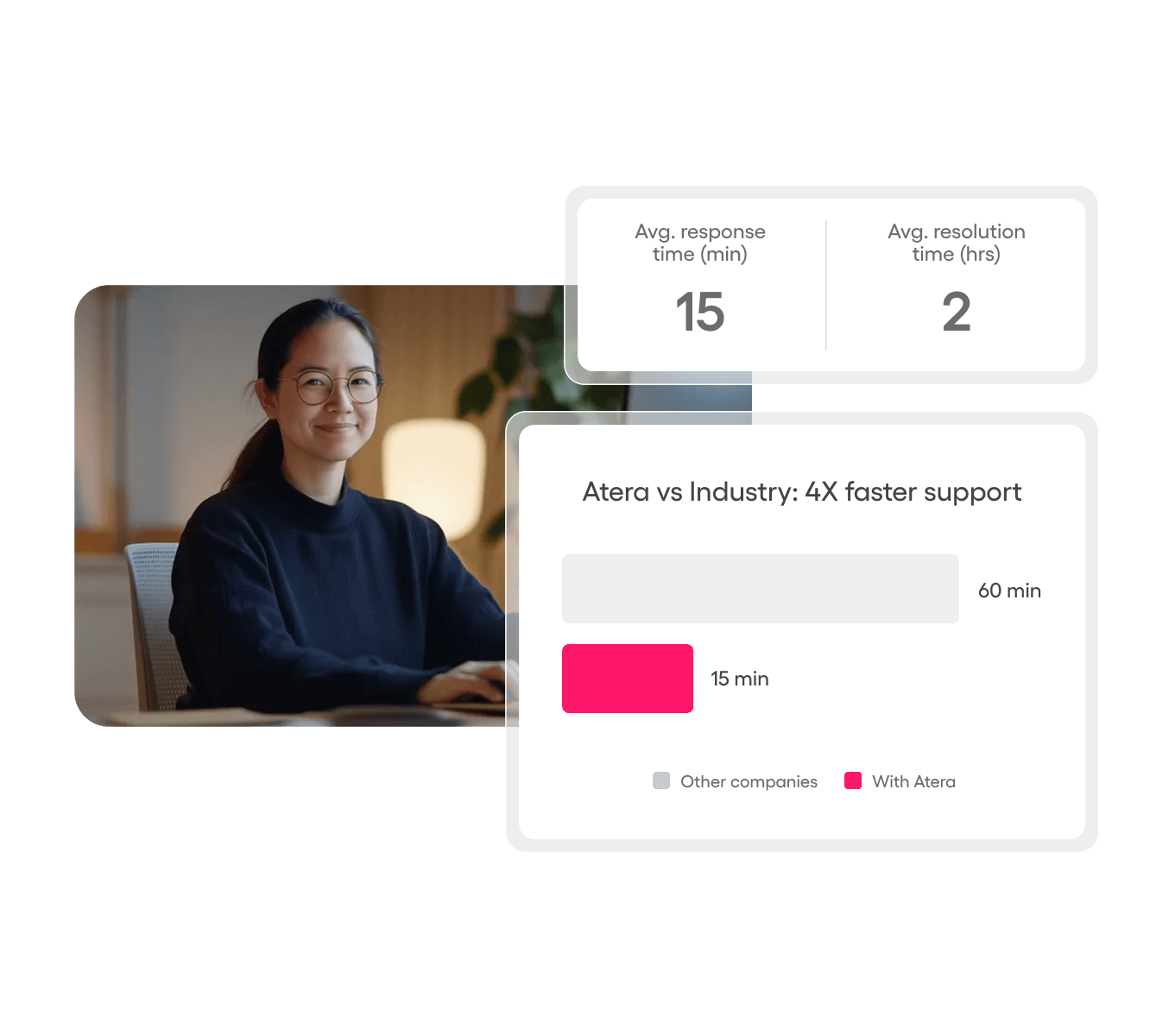
A consistent service desk foundation can support local operations and cross-border growth. It gives organisations a practical way to evaluate IT Help Desk Software in Dubai, IT Help Desk Software in UAE, and IT Help Desk Software in Saudi around the people, systems, support channels, and service commitments that matter to them.
Dubai operations
IT Help Desk Software in Dubai helps a growing office consolidate email, calls, and informal requests into one accountable service queue.
For teams that combine on-site and remote support, IT Help Desk Software in Dubai gives decision-makers a clearer view of request ownership and next steps.
UAE coverage
IT Help Desk Software in UAE gives multi-office teams one common language for incidents, requests, and service priorities.
When a company standardises IT Help Desk Software in UAE, technicians can retain useful context instead of reconstructing it after handoffs.
IT Help Desk Software in UAE supports more consistent onboarding, access requests, and device support across departments.
For growing operations, IT Help Desk Software in UAE creates a stronger basis for workload reviews, process improvement, and service reporting.
Saudi operations
IT Help Desk Software in Saudi gives teams a defined route for support requests as offices, people, and devices grow.
For a new branch or distributed operation, IT Help Desk Software in Saudi creates one place to see what is open and who owns the next step.
IT Help Desk Software in Saudi can make routine requests easier to categorise before they become operational friction.
As service expectations increase, IT Help Desk Software in Saudi helps leaders connect support activity to wider IT operations.
A well-designed IT Help Desk Software in Saudi rollout begins with the business services, support channels, and escalation paths your team already uses.
With IT Help Desk Software in Saudi, recurring issues can be reviewed as patterns rather than isolated messages.
For multi-office leaders, IT Help Desk Software in UAE can bring local requests and regional service goals into a more coordinated operating rhythm.
Talk with Raidefend about IT Help Desk Software in UAE and IT Help Desk Software in Saudi, with a service design that helps your team coordinate support, improve visibility, and keep business work moving.
Tell us how support works today and where your team needs more control.